
Customize the partition table
Ship your own partition table when the board default does not fit — a tight-flash board, a bigger app, or an extra data partition. phpflash partitions publish drops the board table into the project; edit it and the build uses it, still appending the generated storage and phpstore partitions.
Most projects never touch the flash layout — the board ships a sensible one. But some boards are tight, and some projects want a different split. The classic case is a small-flash board like the ESP32-S3-Zero (4 MB flash): the firmware, the embedded PHP source, and any persistent store all have to fit at once, and you may need to resize the app partition to make room. This recipe shows how to take over the table for one project without forking the firmware.
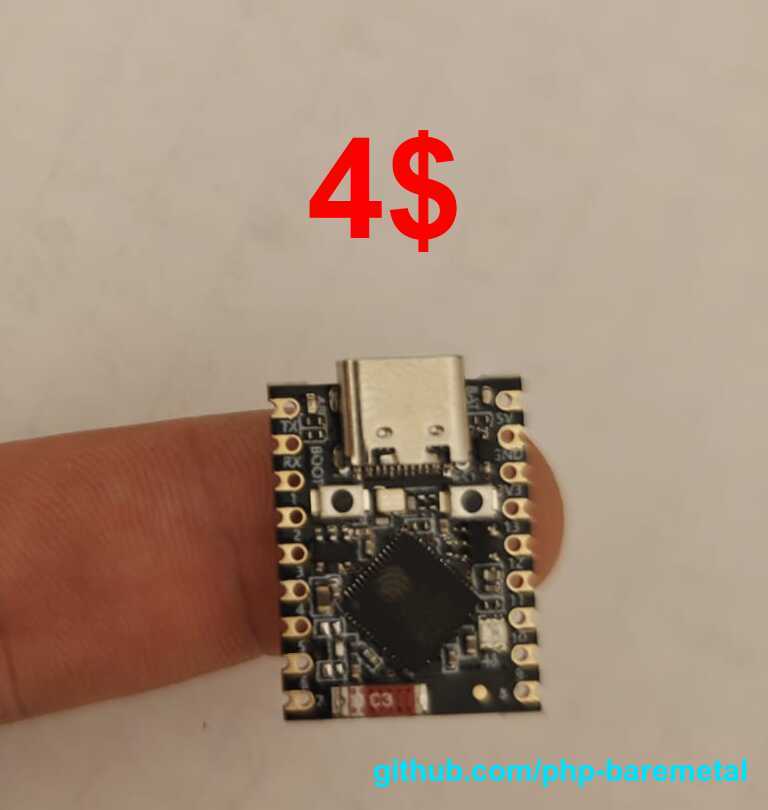
A ~$4, fingertip-sized ESP32-S3 (4 MB flash / 2 MB PSRAM) — the kind of tight-flash board where the default layout stops fitting and you take the partition table into your own hands.
When you need this
Most projects never should — the board's default table already fits the firmware and leaves room for
your source, and you grow the embedded source with [storage] reserve_kb rather than editing the
table. Reach for a custom table only when:
- A small-flash board doesn't leave enough room. On a 4 MB board (the ESP32-S3-Zero) the ~2.8 MB
firmware, the embedded source, and any store are a tight fit; you may need to trim
factory. - Your app needs a bigger
factorythan the default. A large framework or a big embeddedvendor/can push the firmware image up; give the app partition more room. - You want an extra partition. A second FAT for data, a config blob, an OTA slot — add your own
data/approws. - You're bringing up a board whose flash differs from its definition. The definition may assume a different flash size than the chip in your hand (see the last section).
If none of these apply, skip this recipe.
Two layers: board-fixed and generated
The table phpflash build feeds to ESP-IDF comes from two places:
| Layer | Partitions | Where it's defined |
|---|---|---|
| Fixed | nvs, phy_init, factory (the app), plus anything you add |
the board — boards/<family>/<board>/partitions.csv in php-esp32 |
| Generated | storage (embedded source FAT), phpstore (persistent store_* NVS) |
sized and appended per build, from your config |
The generated layer you never write by hand: the embedded storage partition is sized to your PHP
source (grow it with [storage] reserve_kb), and phpstore appears only when you set
[store] size_kb. What this recipe changes is the fixed layer — normally owned by the board.
You are only overriding the fixed partitions
A project partition table replaces the board's fixed spec. The build still appends storage and
phpstore afterwards, so any storage/phpstore line you put in your file is ignored and
regenerated. Size those two through [storage] reserve_kb and [store] size_kb, not the table.
Publish, edit, build
-
01
Publish the board's table
Run this in the project. It writes
./partitions.csvfrom the configured board's defaults, with guidance comments (and the board's flash size baked into them).phpflash partitions publish -
02
Edit the fixed partitions
Resize
factory, add adatapartition, whatever you need — see the sizing rules below. -
03
Build
No flag to set: the file's presence is enough. The build announces it and uses your table as the base, then appends the generated partitions.
phpflash build
You'll see the override take effect in the build output:
==> using project partition table: ./partitions.csv
-- php-esp32: partition table base <- project override (/path/to/project/partitions.csv)
-- php-esp32: embedded 'storage' partition = 128K ...
-- php-esp32: persistent 'phpstore' NVS partition = 32K
Delete partitions.csv to fall back to the board default — nothing else to undo.
Worked example: fitting the ESP32-S3-Zero
The S3-Zero has 4 MB of flash. The board's default factory is 3456K; the firmware is about 2.8 MB.
Say you want a touch more headroom for the embedded source and a small persistent store. Publish,
then shrink factory to 3200K:
# Name,     Type, SubType,  Offset,   Size
nvs,        data, nvs,      ,         24K
phy_init,   data, phy,      ,         4K
factory,    app,  factory,  ,         3200K
Turn the store on in the config so a phpstore partition is appended:
[esp32]
target = "esp32-s3-zero"

[store]
size_kb = 32   # -> a phpstore NVS partition, appended after factory
Build, and the generated table lands inside the 4 MB flash:
nvs,        data, nvs,      ,         24K
phy_init,   data, phy,      ,         4K
factory,    app,  factory,  ,         3200K
storage,    data, fat,      ,         128K
phpstore,   data, nvs,      ,         32K
The full project is in examples/custom-partitions.
Finding the right factory size for your board
You don't have to guess. phpflash partitions publish already writes a per-board table of sensible
factory sizes into the file — how much each leaves for the generated partitions — computed from your
board's flash. To work it out yourself, three numbers:
-
01
The flash size
Read it straight off the chip.
phpflash discoverprints e.g.Flash: 4MB.phpflash discover -
02
The firmware size
Build once (any
factory), and ESP-IDF's size check prints exactly how big the app is and how much of the partition is free — the app must fit infactory.php-esp32.bin binary size 0x2b8460 bytes. Smallest app partition is 0x360000 bytes. 0xa7ba0 bytes (19%) free. -
03
The ceiling
Flash, minus ~96 KB of bootloader/partition-table/nvs/phy, minus room for the generated
storage(≥128 KB) and anyphpstore, is the mostfactorycan be. On 4 MB that's about 3.75 MB. Pick afactorybetween the firmware size and that ceiling.
Read it from the published table
The factory table in the generated partitions.csv does this arithmetic for your board:
# Sensible `factory` sizes for esp32-s3-zero (4000K usable of 4096K flash):
#   factory   free       note
#   3072K     ~928K      roomier embedded source / store
#   3456K     ~544K      board default
#   3712K     ~288K      tighter -- small source only
#   3840K     ~160K      max embedded (little room for source/store)
Sizing rules
factory has to fit twice over
factory must be large enough for the firmware and small enough that the generated storage and
phpstore partitions still fit within the board's flash. If the app outgrows factory, ESP-IDF's
check_sizes step fails the build with the exact overflow; if the generated partitions don't fit, the
partition tool errors. On a 4 MB board the practical ceiling for factory is ~3.4–3.6 MB.
- Alignment: app partitions (
factory) must start on a 64 KB boundary. Leave theOffsetcolumn blank and ESP-IDF places each partition automatically; just keep sizes to whole K/M. - NVS: 16 KB–64 KB is plenty (Wi-Fi calibration + IDF NVS).
- Embedded source: don't add a
storageline — grow it with[storage] reserve_kb. - Persistent store: don't add a
phpstoreline — enable it with[store] size_kb. - Your own data: you can add extra
datapartitions (e.g. a second FAT); those are kept as-is.
The board side: flash size and PSRAM
Two things that decide whether a small board works at all are not in the project table — they live
in the board definition (boards/<family>/<board>/sdkconfig.board):
- Flash size (
CONFIG_ESPTOOLPY_FLASHSIZE) — the table has to fit inside it. - PSRAM mode — the runtime heap lives in PSRAM (the build sets
USE_ZEND_ALLOC=0), so the SoC's PSRAM must initialise. The S3-Zero carries Quad PSRAM, while the S3-ETH/S3-Pico carry Octal; a board that assumes the wrong mode won't bring PSRAM up and the engine has no heap to run in.
If you're bringing up a board whose flash or PSRAM differs from what its definition assumes, run
phpflash discover first to read the real chip, then fix sdkconfig.board in php-esp32 — that's a
firmware change, separate from the per-project table this recipe covers.