
Blog 10 min read
PHP on a $4 chip: its own WiFi, its own web server, control led
An ESP32-S3 boots its own WiFi network, serves a control page written in PHP, and drives its onboard RGB LED live. No router, no cloud, no app.

Gianfrancesco Aurecchia
@GianfriAur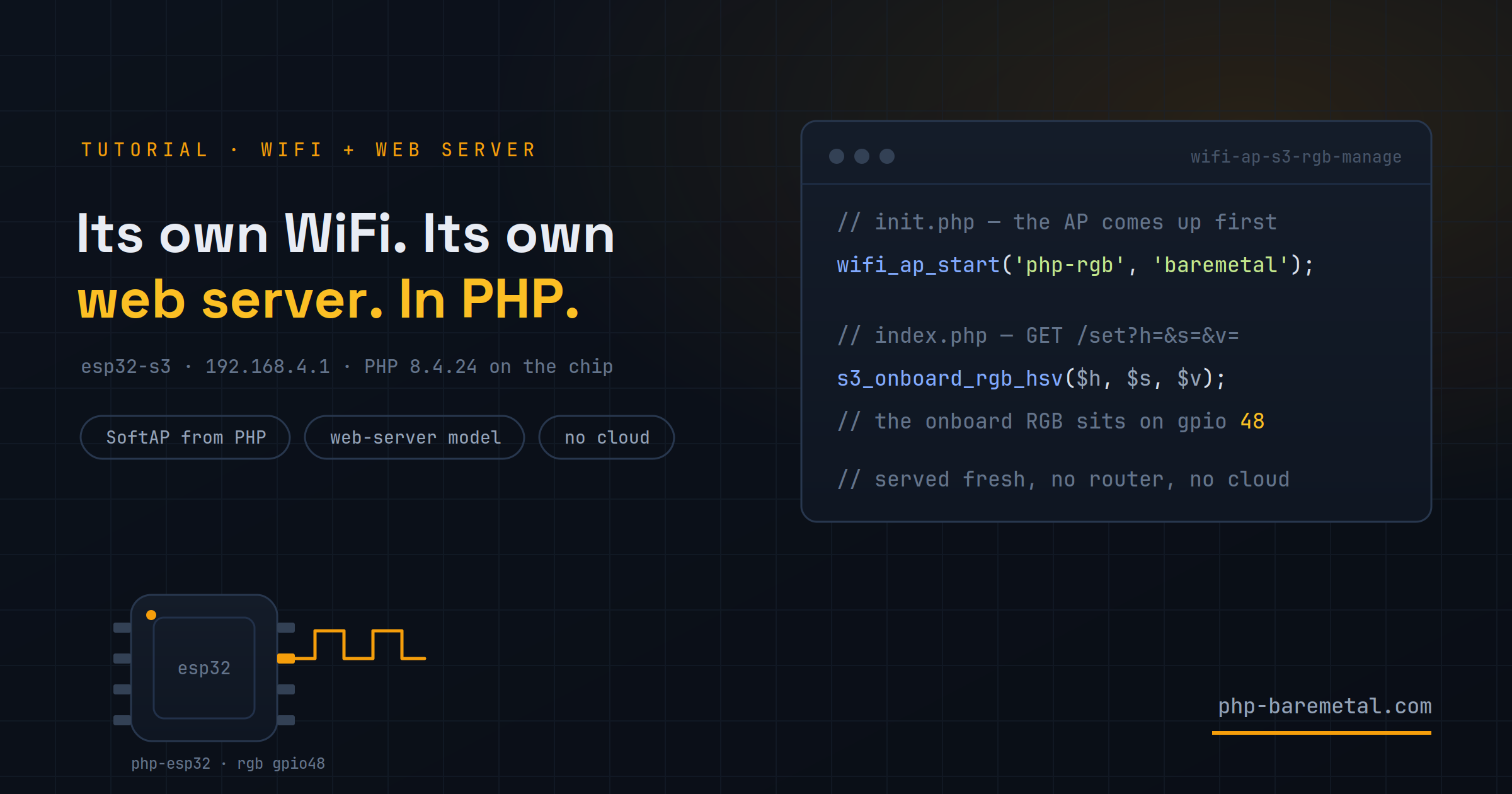
A board you can hide under a fingertip powers up, creates its own WiFi network, and starts serving a web page. You join that network with your phone, open http://192.168.4.1/, and drag a slider — and the RGB LED on the board changes colour while your finger is still moving.
There is no router in the room. No cloud service. No app to install. Every byte of that page was printed by PHP 8.4 running on the microcontroller itself — a chip that costs about four dollars.
This is the wifi-ap-s3-rgb-manage example that ships with php-esp32. The PHP that makes it work is under 90 lines across two files; most of the rest is the HTML page those files print.
TL;DR
An ESP32-S3 runs an HTTP server in firmware and invokes the real, unmodified Zend engine once per request — shared-nothing, exactly like PHP behind Apache. A server_init script brings up a WiFi access point before the server binds, so the board is simultaneously the network, the web server, the front-end, and the hardware being controlled. Total moving parts outside the chip: zero.
That is the whole system in frame. The phone is joined to the board's own network, the page came from the board, and the light is the board. Nothing else is switched on.
What the board actually does
On boot, three things happen in order: the chip starts a WiFi access point called php-rgb, hands itself the address 192.168.4.1, and then binds an HTTP server on port 80. From that moment it behaves like any small PHP site — except the "server" is a microcontroller with 2 MB of PSRAM, and the "network" is a radio on the same die.
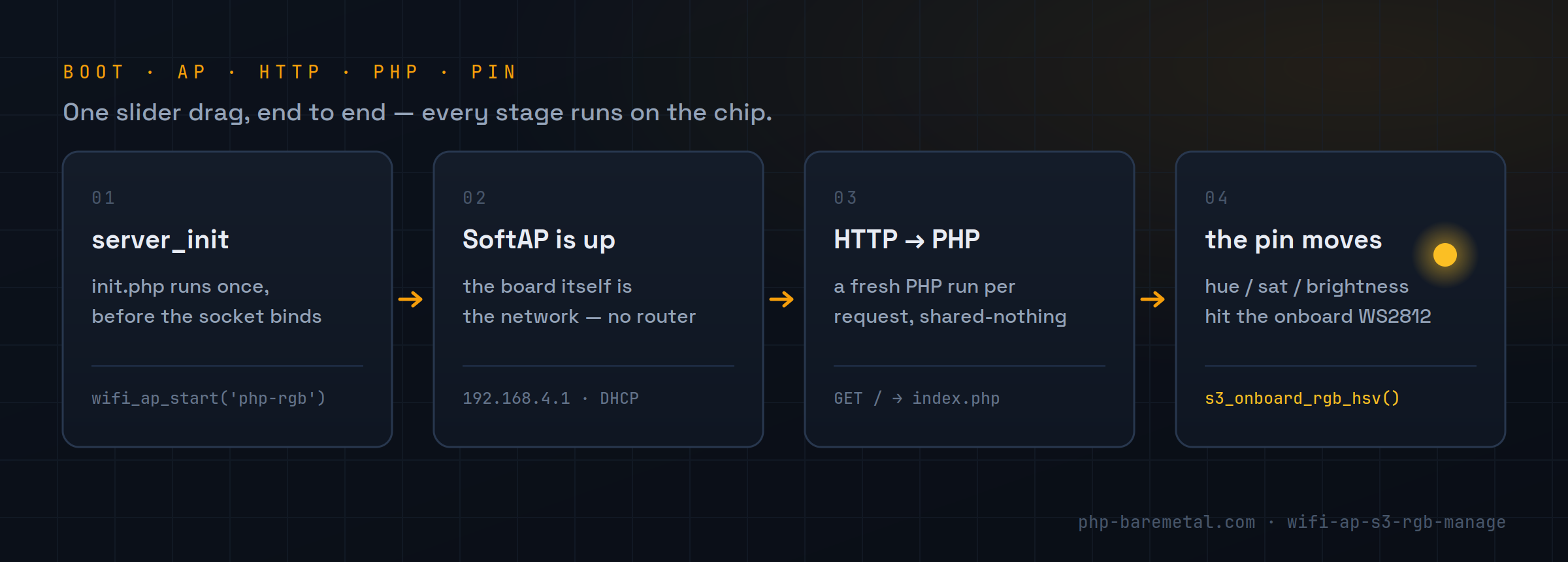
Connect a phone to php-rgb, open the page, and you get three sliders — hue, saturation, brightness — plus an on/off button and a checkbox marked update the LED while dragging. Tick it and every slider move fires a request at the chip, which applies the colour to its onboard WS2812 LED and answers with JSON. The footer of the page says where it came from: served fresh by PHP 8.4.24 on the chip · no cloud, no router.
Jargon, briefly
GPIO is a pin on the chip you can drive high or low from code. WS2812 is the addressable RGB LED soldered onto most ESP32-S3 dev boards — one data pin, no wiring needed. SoftAP is software access point: the chip acts as the WiFi router rather than joining one. PSRAM is extra RAM on the module, outside the chip's small internal SRAM. Flashing means writing your firmware image into the board's flash memory over USB.
Three lines of config build the whole stack
There is no bootstrap code to write. The project's php-esp32.config.toml declares what the firmware should contain, and the build assembles it:
name = "wifi-ap-s3-rgb-manage"
storage_type = "embedded"   # PHP source packed into flash
type = "web-server"         # HTTP server in front, PHP per request

[board]
target = "esp32-s3-zero"

[extensions.wifi]
enabled = true

# The onboard WS2812 RGB LED (ESP32-S3 boards). pin 48 on most S3 dev boards.
[extensions.s3_onboard_rgb]
enabled = true
pin     = 48

# Runs once, before the HTTP server starts.
[web-server]
init = "init.php"

[php]
src   = "project-src"
entry = "index.php"
Three declarations carry the weight. type = "web-server" puts an HTTP server in the firmware and wires PHP behind it. [extensions.wifi] compiles in the WiFi functions. [web-server] init names a script that runs once, before the socket is bound — that hook is what makes an access point possible at all, because the network has to exist before anything can listen on it.
storage_type = "embedded" means the PHP source is packed into the flash image rather than read from a microSD card at boot. For a project this size that is the simpler choice: one artifact, nothing to lose.
init.php: the network comes up before the server does
The server_init script has two jobs — raise the access point, and put the LED in a known state. Its output goes to the serial console, not to a browser, because no browser exists yet.
<?php
const AP_SSID = 'php-rgb';
const AP_PASS = 'baremetal';   // >= 8 chars for WPA2; '' for an open network

if (!wifi_available()) {
    echo "[init] wifi not built -- enable [extensions.wifi]\n";
} elseif (wifi_ap_start(AP_SSID, AP_PASS !== '' ? AP_PASS : null)) {
    $ip = wifi_ap_ip();
    echo "[init] access point '" . AP_SSID . "' up at $ip\n";
} else {
    echo "[init] failed to start the access point\n";
}

// The WS2812 physically holds its colour between requests, but we mirror the
// numbers in the in-RAM mem_* store so each request can render the sliders.
$h = 210; $s = 255; $v = 40; $on = 1;   // a calm blue at low brightness
mem_set('h', $h);
mem_set('s', $s);
mem_set('v', $v);
mem_set('on', $on);

if (s3_onboard_rgb_available()) {
    s3_onboard_rgb_hsv($h, $s, $v);
}
That is ordinary PHP. wifi_ap_start() is a function the wifi extension adds to the runtime; mem_set() writes to an in-RAM key/value store that survives between requests; s3_onboard_rgb_hsv() takes a hue from 0–359 and saturation and brightness from 0–255. No classes to instantiate, no daemon to configure.
Here is the board saying so over the serial port:
I (905) app_init: ESP-IDF:          v5.5.5
I (921) php-esp32: embedded source mounted at /app
PHP 8.4.24 on ESP32-S3
--- web-server init: /app/init.php ---
I (1231) wifi:mode : softAP (28:84:85:67:57:81)
[init] access point 'php-rgb' up at 192.168.4.1
I (1241) esp_netif_lwip: DHCP server started with IP: 192.168.4.1
[init] LED ready (h=210 s=255 v=40)
--- web-server init done ---
I (1251) php-esp32: web-server model: serving /app/index.php over HTTP on :80
Read the timestamps in the left column: they are milliseconds since reset. The access point is up at 1,231 ms and the HTTP server is accepting connections at 1,251 ms. From cold boot to a live PHP web server on its own network takes about a second and a quarter.
index.php: one file, two routes
Every request runs index.php from the top, in a fresh interpreter state. That is the same shared-nothing contract PHP has always had on the web, and it is why the code below looks unremarkable:
<?php
function clampi($val, int $lo, int $hi): int
{
    $val = (int) $val;
    return $val < $lo ? $lo : ($val > $hi ? $hi : $val);
}

$path = parse_url($_SERVER['REQUEST_URI'] ?? '/', PHP_URL_PATH);

if ($path === '/set') {
    $h  = clampi($_GET['h']  ?? mem_get('h', 210), 0, 359);
    $s  = clampi($_GET['s']  ?? mem_get('s', 255), 0, 255);
    $v  = clampi($_GET['v']  ?? mem_get('v', 40),  0, 255);
    $on = clampi($_GET['on'] ?? mem_get('on', 1),  0, 1);

    mem_set('h', $h);
    mem_set('s', $s);
    mem_set('v', $v);
    mem_set('on', $on);

    if ($on && s3_onboard_rgb_available()) {
        s3_onboard_rgb_hsv($h, $s, $v);
    } else {
        s3_onboard_rgb_off();
    }

    header('Content-Type: application/json');
    echo json_encode(['h' => $h, 's' => $s, 'v' => $v, 'on' => $on]);
    return;
}

// Otherwise: render the control page, seeded with the current state.
$h = (int) mem_get('h', 210);
// ... $s, $v, $on ...
header('Content-Type: text/html; charset=utf-8');$_GET, $_SERVER, parse_url(), header(), json_encode() — all of it is the standard library behaving normally, because this is the standard interpreter. GET / returns the page; GET /set?h=&s=&v=&on= applies the values and returns JSON.
State is the one thing that needs a thought. Each request is a clean run, so the sliders would reset to defaults every time the page reloads. Two things prevent that: the WS2812 physically holds its last colour, and the mem_* store keeps the numbers in RAM between requests. Open the page and the controls start exactly where the LED is.
Don't flood the chip
The browser debounces slider input by 60 ms before firing /set. A dragging finger can generate dozens of input events per second, and a microcontroller serving one request at a time will not thank you for all of them. Debouncing on the client is the cheapest fix.
Build, flash, connect
-
01
Set your network name
Open
project-src/init.phpand changeAP_SSIDandAP_PASS. WPA2 needs at least 8 characters; an empty password gives you an open network.const AP_SSID = 'php-rgb'; const AP_PASS = 'baremetal'; -
02
Build the firmware
phpflashcross-compiles the runtime, the enabled extensions and your packed PHP source into one image.phpflash build -
03
Flash the board
Connect the ESP32-S3 over USB. The port is autodetected when
[board] portis left empty.phpflash flash -
04
Watch it boot
The serial monitor prints the PHP banner, the
init.phpoutput, and the address to open.phpflash monitor -
05
Join and open
Connect your phone or laptop to the
php-rgbWiFi network, then browse tohttp://192.168.4.1/. Drag the sliders.
The example targets ESP32-S3 boards because the s3_onboard_rgb extension does: any WiFi-capable S3 with the onboard WS2812 works, including the S3-Zero, S3-Pico and S3-ETH. Every ESP32-S3 has WiFi on the die, which is why all S3 boards can now use the web-server model — the network comes from the wifi extension rather than a wired link. The WiFi and web-server half of this example also runs on the ESP32-P4 with a C6 radio.
Why this is more than a party trick
Strip away the LED and what is left is a general shape: a device that carries its own configuration UI, reachable by anything with a browser, needing no infrastructure. That is a real answer to a real problem — commissioning a sensor in a field, configuring a machine on a factory floor, handing a customer a device that sets itself up. The usual version of that story involves a mobile app, a BLE stack and a backend. This version is index.php.
What makes it work is that nothing here is a reimplementation. php-esp32 runs the actual Zend engine from php.net, unmodified — not a subset, not a transpiler, not a PHP-like language. Your knowledge of $_GET and json_encode() transfers because it is the same interpreter, cross-compiled for a different target.
The vendor-agnostic framing matters too. ESP32 is the concrete target today, not the identity of the project: a new chip family is a directory in the firmware, not an engine change. The package is php-esp32, the CLI is phpflash, and the PHP you write does not know the difference.
Start with the example source at https://github.com/php-baremetal/php-esp32/tree/master/examples/wifi-ap-s3-rgb-manage, then read the runtime reference at https://www.php-baremetal.com/documentation/php-esp32 and the CLI docs at https://www.php-baremetal.com/documentation/flash-tool.
Trademarks
php-baremetal is an independent project. PHP is developed by the PHP Group; the engine here is the upstream release from php.net, unmodified. ESP32, ESP-IDF and ESP-HOSTED are trademarks or projects of Espressif Systems. Laravel, Symfony, Composer and Packagist are trademarks of their respective owners — the project runs their unmodified packages and is not affiliated with or endorsed by any of them.
Keep reading
Is php-baremetal/php-esp32 1.5.0 production ready?
Still a lot of work ahead, but 1.5.0 takes two huge steps: hidden source code for products coming off the line, and a board that sleeps at ~0.95 mA when idle.
PHP on the ESP32 now reacts: events, WebSocket and a second core
Tilt the board and the plot moves in your browser. php-esp32 1.4.0 lets PHP sleep until the hardware wakes it: typed events, live WebSocket, and a second core.
Real PHP on an ESP32: welcome to the php-baremetal blog
The unmodified Zend engine from php.net, cross-compiled for a microcontroller: what php-baremetal is, what it runs today, and the new WiFi support.